On Focused and Mac Power Users, Mike Schmitz likes to quote Dawson Trotman
“Thoughts disentangle themselves through lips and pencil tips.”
Which he always follows with
“And I’d add clicky keyboards”.
This is simultaneously very clever and yet also very annoying because he says it every episode, with the same pause and intonations. Regardless of my feelings on his phrasing, Mike is right.
Like one of Gibson’s net runners customizing their cyber deck, I spend quite a bit of time on my setup. After a few years of experimenting, I find I genuinely prefer typing on a mechanical keyboard. I think I started because I like the look of it, and the old school feel (I’ve been using computers a long time.)
However, I also find that I strike the right key a little more easily and I do like the sound as I’m going. I’ve had a few over the years, starting with some of the old Mac keyboards with the alps switches, then going down the rabbit hole a little since 2020:
The roundup
- Keychron K2 with brown switches – this was too tall. I got it right before the lockdown, and I think I’d moved away before the summer was supposed to have ended.
- Keychron K3 low profile with red switches – this was a workhorse for a while, but it has an abysmal battery life. It also wasn’t quite right in terms of precision, it was a little too easy to accidentally hit the wrong key
- Keychon K1 with mint switches this is my daily driver
- Royal Kluge F68 with red switches this is the new hotness for use on the go. I got the reds because it only comes with those or the browns
The current pair:
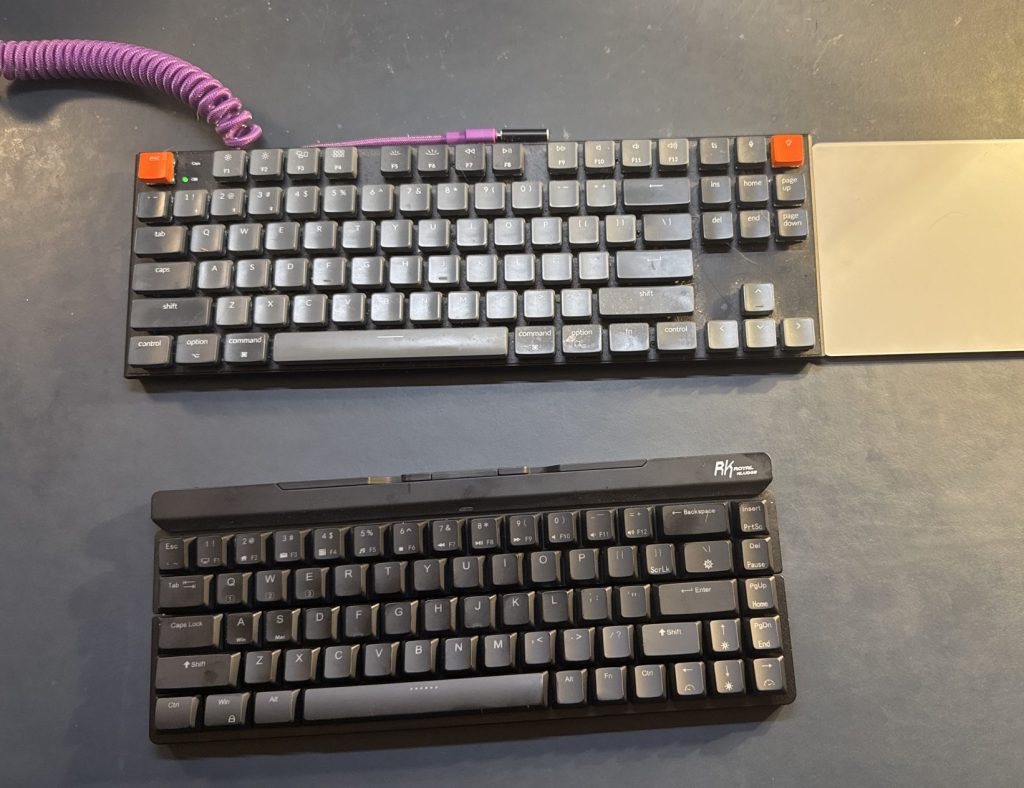
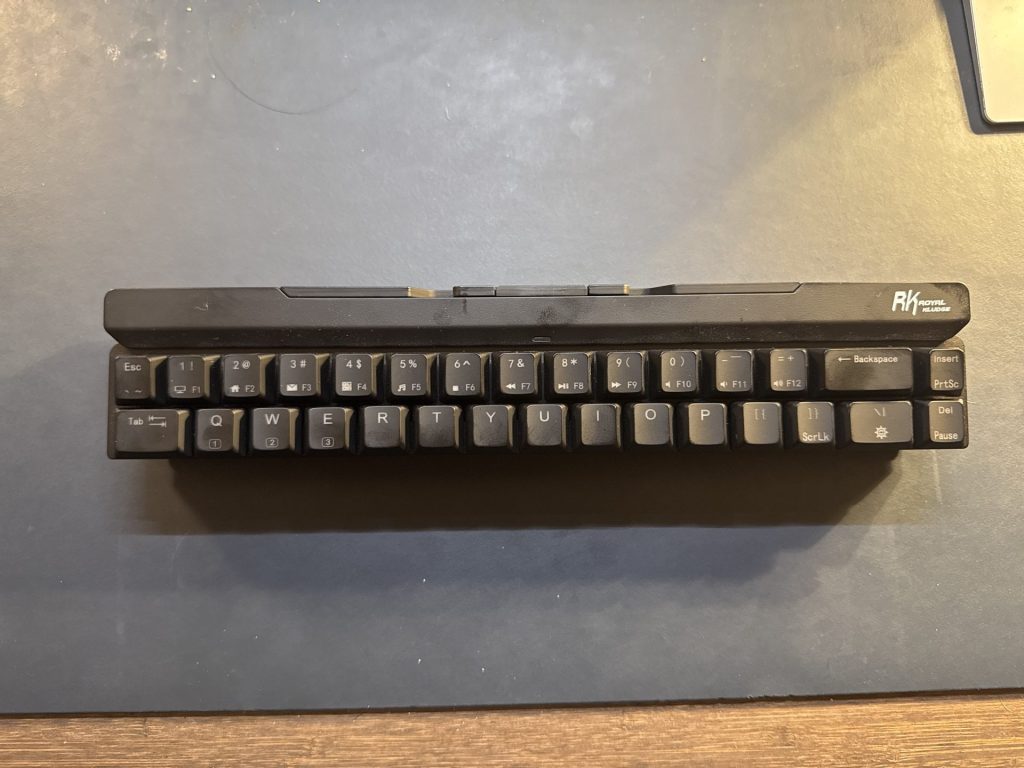
The Royal Kluge is an interesting little keyboard I learned about over on Ben Brook’s site and his membership discord. It lets you prop up a phone or tablet to use it on the go, and the whole thing folds, but it does so between the rows of keys, not in the middle like the old IBM butterfly keyboard or more common slide and fold portable keyboards. This means it’s long but skinny in your bag, and may be a reason to get a little pouch or something. I got it with “low profile quiet red” switches to be less annoying if I take it to a coffee shop or the coworking space at the local university.
Its keys are a little taller then the K1, despite them both being low profile, and its got more of a hollow, thonky sound. You can turn off the backlight, and even if you don’t, it’s not a flashing pattern. I like it, but it’s not going to be a daily driver for me, it’s a road warrior.
Ready to go
Pattern recognition… There are a few trends here:
I dislike number pads on my keyboards, I find they get in the way and make things too wide. My work laptop has one built in and it makes the home row off center enough that I hate using the laptop as a laptop and I’m getting them to swap it for a smaller, more normal one. I do like a 68 or so key keyboard because it’s still got arrow keys and function keys as a row – I use F4 a lot in excel and powerpoint. I don’t care about the fancy backlights and RGB effects and usually turn them off as soon as possible.
Protip: You can lock it off by holding FN, L and the little light key on a Keychron for three seconds.
I prefer low profile switches, I’ve been typing on laptop keyboards and the Apple magic keyboards for years, so the extra height of the full size ones got to me on the K2. My favorite switches aren’t the reds, they’re the optical mint ones I have on this K1. They add a little resistance and a tactile feel that makes it easier to avoid mis-clicking, yet they aren’t too loud, because the sound can otherwise get to me.
Find the tool that fits your hand
There’s something about firing up my favorite editor, or the notes app, and using my keyboard that puts me in a better mood to write. It’s that extra moment of ritual – do I have a drink off to my right? Is my little crab holding my pen? Am I ready to lock in?
About the choice of switches and layouts: these are my choices, they may not be yours. But, I’d try switching your keyboard around to see if that helps you. I write a lot. Not as much as I want to, or really should, but it’s still a lot, especially for work. Having a tool you really like that adds or removes just the right amount of friction is incredible. You don’t have to go too deep and start adding or removing o-rings and changing how the switches are lubed, but you can if you want to. Get what you need, and be Just Nerdy Enough.
 Leveraged Intention